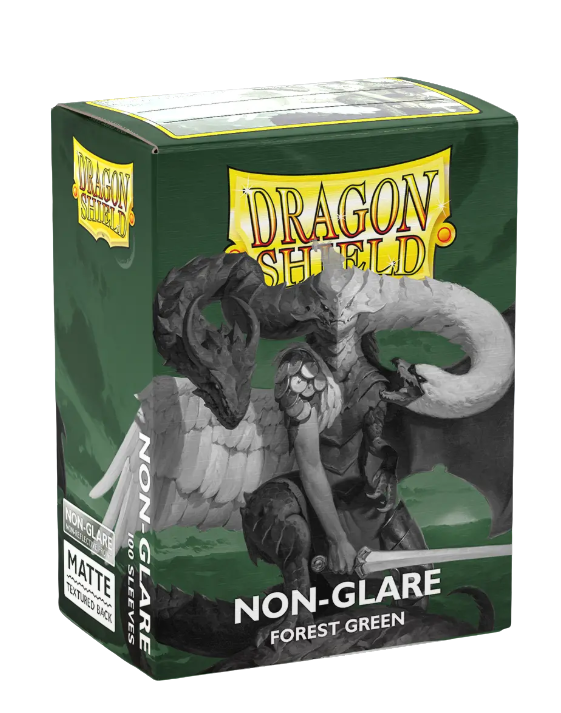
La surface avant antireflet des manchons Matte Non-Glare offre un confort visuel optimal, vous procurant une expérience de jeu plus douce, même sous un éclairage intense.
Cette version unique des protège-cartes Matte de Dragon Shield, plébiscitées par les fans, allie la durabilité légendaire du Matte à une nouvelle approche de son toucher si agréable. Essayez les protège-cartes Non-Glare : vous pourriez bien trouver votre nouveau protège-cartes préféré.
Chaque boîte contient 100 protège-cartes de taille standard pour les cartes mesurant jusqu'à 63 x 88 mm (2½" x 3½"). Idéal pour les JCC comme Magic: The Gathering, Pokémon, Lorcana et Flesh and Blood !
Caractéristiques: • La surface avant antireflet rend les manchons mats antireflets confortables pour les yeux, vous offrant une expérience visuelle plus douce pendant que vous jouez, même sous un éclairage intense. • Chaque boîte contient 100 pochettes de format standard pour cartes mesurant jusqu'à 63 x 88 mm (2½" x 3½"). • Essayez le traitement antireflet et vous pourriez bien trouver votre nouvelle housse préférée.
Contenu: • 100 pochettes anti-reflets de taille standard
Bleu
Vert
Rouge
Impossible de charger la disponibilité du service de retrait
We’ll email you as soon as this option is back in stock.
Thistle Tavern isn't just a shop; it's a hub for the TCG community across Scotland. Run and operated by active players, we are dedicated to building and supporting local gaming scenes in Aberdeen and Edinburgh. Every product we sell helps fund local events, player meetups, and the growth of the games we love. When you shop with us, you're supporting a team that's as passionate about the local meta as you are.
Player-Owned & Operated
Supporting Scottish Metas
Community-Driven Events
Local Player Experiences
Discover how we’re supporting the competitive and casual scenes in Aberdeen and Edinburgh through our community feedback.
4.79 ★ (299)
Verified
Le choix d'une sélection entraîne l'actualisation de la page entière.
S'ouvre dans une nouvelle fenêtre.
PayPal Pay Later Messaging
Step 1: Choose message placement
Click the button below and then hover over your page to select a placement.
Step 2: Paste and save
You have copied the placement for the Product Page.
Go back to the App Embeds section, and in the Paypal Advanced Settings, paste the copied value into the
Product Page field and click the 'Save' button in the top right corner.