

Method
Royal Mail Tracked 48
Order total
£0.00 – £150.00
Delivery cost
£4.00
Looks like you haven’t added anything yet. Browse the store and find something you’ll love.
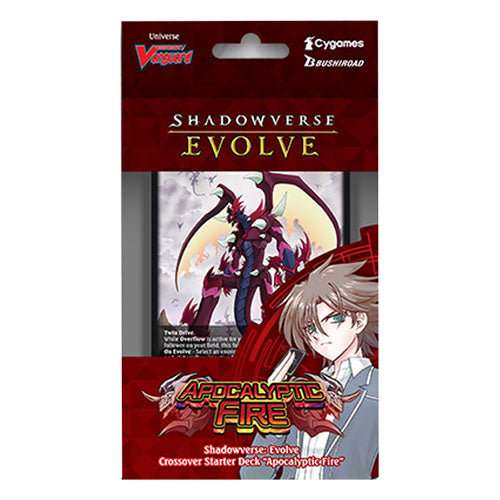
Continue shopping Sign in to your accountShadowverse: Evolve is a competitive TCG where players battle as one of six different classes, summoning followers and casting spells to defeat their opponents. The gameplay closely follows the digital CCG with the inclusion of new mechanics that allow for new ways to play.
Sanctury Knight Brigade & Apocalyptic Fire contain classes: Swordcraft, Dragoncraft & Neutral.
Features:
• Each crossover starter deck contains an exclusive bonus card pack containing 3 of 12 cards exclusive to the deck type.
• Each deck comes with a pre-con deck and lots of other goodies to help you get started playing.
• Each starter deck type will include its own unique leader card.
Contents:
• 1 x Prebuilt Deck (40 Cards + 10 Evolved Cards)
• 1 x Sheet of punch-out counters
• 1 x Exclusive Bonus Card Pack
• 1 x Rule Sheet (Double-Sided)
• 3 x Evolution Point Cards
• 1 x Leader Card
• 1 x Playmat
Delivery charges are based on your order total. The lowest available rate for your order is shown on each product page.
Delivery charges apply to all orders
100% original factory shrink wrap guaranteed
Locked pre-order pricing — pay in full with no price increases
Fast UK & International shipping with daily weekday collections