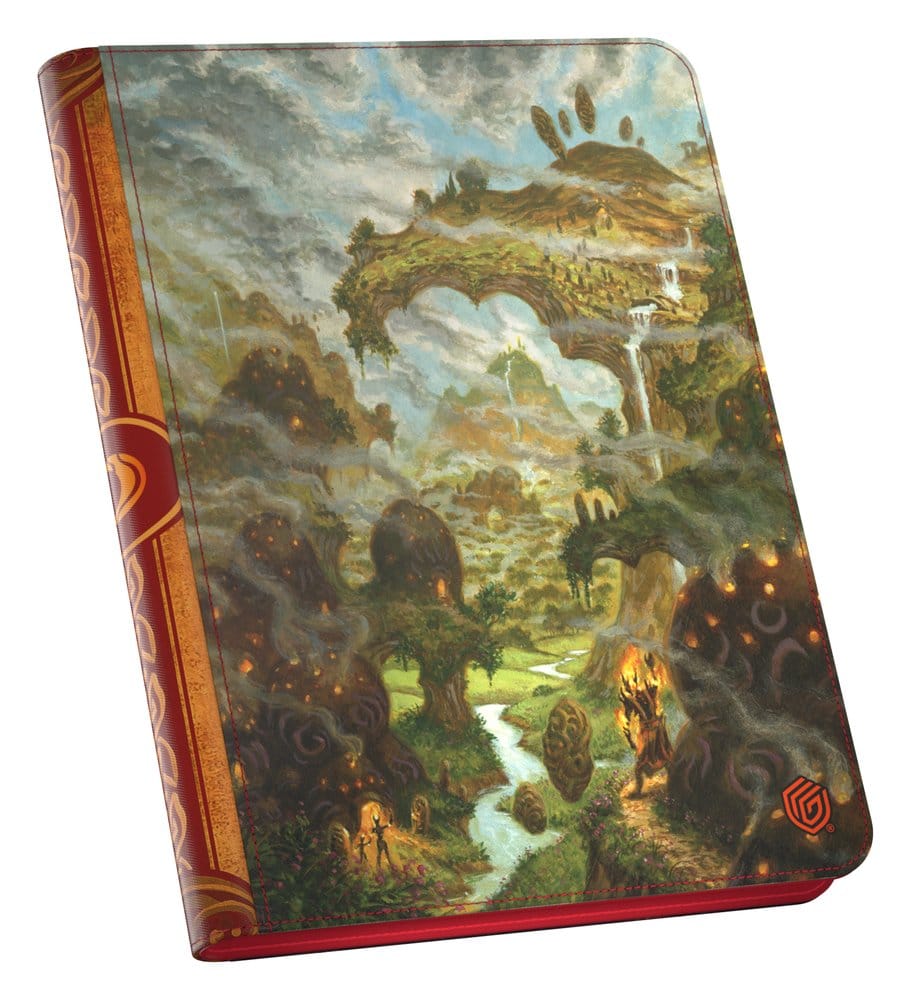
Ultimate Guard's Zipfolio 360 Xenoskin with officially licensed artwork from Magic: The Gathering's "Lorwyn Eclipsed" set is a premium trading card binder offering 360 compartments for Magic cards across 20 integrated pages (18 pockets per page). The MTG binder is made from resistant Xenoskin material and features high-quality, side-loading pocket pages (designed for double-sleeved cards*). The Zipfolio closes fully with a zipper, guaranteeing more card protection than a regular binder.
*Designed for Ultimate Guard sleeves. Sleeves from other brands may affect the capacity.
Acid and PVC free pages
Officially licensed Magic: The Gathering artwork
Designed for double-sleeved cards
Zipper closure
Resistant Xenoskin material
Side-loading design
Couldn't load pickup availability
We’ll email you as soon as this option is back in stock.
Thistle Tavern isn't just a shop; it's a hub for the TCG community across Scotland. Run and operated by active players, we are dedicated to building and supporting local gaming scenes in Aberdeen and Edinburgh. Every product we sell helps fund local events, player meetups, and the growth of the games we love. When you shop with us, you're supporting a team that's as passionate about the local meta as you are.
Player-Owned & Operated
Supporting Scottish Metas
Community-Driven Events
Premium TCG Accessories
Protecting your collection is as important as building it. At Thistle Tavern, we use the same Ultimate Guard, deck boxes, and sleeves we sell. We ensure our players in Aberdeen and Edinburgh have access to the highest quality accessories to keep their decks safe during every local tournament.
Tournament-Grade Accessories
Tested by Active Players
Premium Protection Selection
Community Feedback
We're proud to support the local TCG scene. Read reviews from the players who make our community great.
4.80 ★ (264)
Verified
Choosing a selection results in a full page refresh.
Opens in a new window.
PayPal Pay Later Messaging
Step 1: Choose message placement
Click the button below and then hover over your page to select a placement.
Step 2: Paste and save
You have copied the placement for the Product Page.
Go back to the App Embeds section, and in the Paypal Advanced Settings, paste the copied value into the
Product Page field and click the 'Save' button in the top right corner.