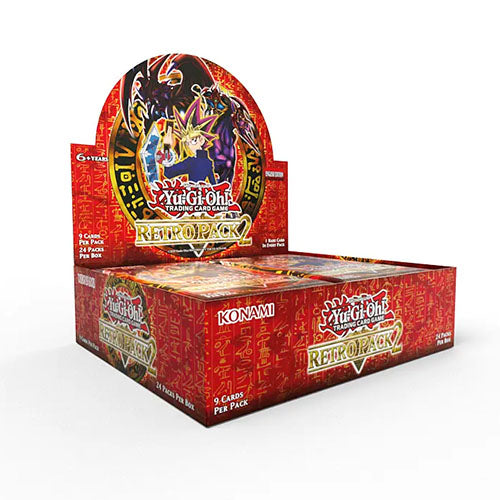
Retro Pack 2 is a goldmine for Time Wizard format players. Whether you are looking for Gorz the Emissary of Darkness or Light and Darkness Dragon to include in your 2010 decks. Maybe Airknight Parshath or Nobleman of Crossout for your 2005-era decks? Or Book of Moon and Call of the Haunted for your, well, basically any deck!
Whether it’s a trip to the past to fill out your collection of cards, there is something in here for you to pick up!
We’re making every effort for the cards in Retro Pack 2 to be as retro as they can be, so all the cards will have original card frames, looks, names and texts!
There is just ONE little change that you’ll probably like though; we have doubled the drop rate for foil cards compared to the original Retro Pack 2. So, it will be twice as easy to get foil cards from Retro Pack 2 (2025 re-release) as it was from Retro Pack 2 (2009 original release).
Features: • The complete Retro Pack 2 booster set is 101 cards: 48 Commons, 24 Rares, 10 Super Rares, 8 Ultra Rares, and 11 Secret Rares. • It will be twice as easy to get foil cards from Retro Pack 2 (2025 re-release) as it was from Retro Pack 2 (2009 original release). • Duelists, here comes a blast from the past!
Contents: • 9 x Cards Per Pack
Box
Pack
Case
Couldn't load pickup availability
We’ll email you as soon as this option is back in stock.
Buy factory-sealed Pokémon, Magic: The Gathering, and more booster boxes with total peace of mind. Sourced directly from official distributors with original factory shrink wrap intact.
100% original factory shrink wrap guaranteed
Locked pre-order pricing — pay in full with no price increases
Fast UK & International shipping with daily weekday collections
Collector & Player Ratings
Factory Sealed TCG & Pre-Orders FAQ
When are pre-ordered products dispatched?
Pre-orders are shipped on the official day of release in accordance with publisher guidelines. Price lock guaranteed on all paid pre-orders.
When will my order be dispatched?
We ship orders ASAP with daily weekday collections for fast UK and International delivery.
Choosing a selection results in a full page refresh.
Opens in a new window.
PayPal Pay Later Messaging
Step 1: Choose message placement
Click the button below and then hover over your page to select a placement.
Step 2: Paste and save
You have copied the placement for the Product Page.
Go back to the App Embeds section, and in the Paypal Advanced Settings, paste the copied value into the
Product Page field and click the 'Save' button in the top right corner.